Published on , updated on by Dmytro Krasun
Open Graph meta tags (OG tags) are <meta> tags in the <head> of a page that control how the link looks when shared on Facebook, LinkedIn, X (Twitter), Slack, Discord, WhatsApp and other apps. This page is a reference: every tag you are likely to need, what it does, a complete HTML example, framework snippets and the mistakes that break previews most often.
New to the topic? Start with What is Open Graph? for the basics and how platforms use the protocol.
Open Graph tag syntax
Every Open Graph tag uses the property attribute and a content value:
<meta property="og:title" content="Acme - Product Analytics for Startups" />A few rules apply to all tags:
- Put the tags inside
<head>, in the HTML returned by the server. Most crawlers do not run JavaScript, so tags added only on the client side are often ignored. - Use
property="og:..."for Open Graph tags andname="twitter:..."for X card tags. - Use absolute URLs (
https://...) inog:url,og:imageand other URL values. - Avoid duplicate tags (for example, two
og:titletags from a theme and a plugin); platforms handle duplicates inconsistently. The exception isog:image: multiple images are allowed and are listed in order of preference.
Basic Open Graph tags (required)
The Open Graph protocol defines four required properties:
| Property | Required | Example value | Notes |
|---|---|---|---|
og:title | Yes | How to Price a SaaS Product | Keep it short; long titles get truncated. It can differ from your <title> (no need for the ”- Brand” suffix). |
og:type | Yes | website or article | Defaults to website if missing. Use article for blog posts. |
og:image | Yes | https://acme.com/og/pricing.png | Absolute URL. Recommended 1200 × 630 px. See image tags below. |
og:url | Yes | https://acme.com/pricing | The canonical URL. Platforms group likes and shares by this URL. |
Optional Open Graph tags
| Property | Required | Example value | Notes |
|---|---|---|---|
og:description | Recommended | Simple analytics for small teams. | One or two sentences. Shown under the title on most platforms. |
og:site_name | Recommended | Acme | Your brand or website name, not the page title. Shown above or below the title on Facebook, Slack and Discord. |
og:locale | No | en_US | Format is language_TERRITORY. Defaults to en_US. |
og:locale:alternate | No | de_DE | Other locales the page is available in. Repeat the tag for each. |
og:determiner | No | the | The word before the title in a sentence: a, an, the, "" or auto. Rarely used. |
og:video | No | https://acme.com/demo.mp4 | A video that complements the page. See below. |
og:audio | No | https://acme.com/episode-12.mp3 | An audio file that complements the page. |
fb:app_id | No | 1234567890 | Facebook only. Links the page to a Facebook app for Insights. Not needed for previews. |
og:image structured properties
og:image can have extra properties that describe the image. Each one applies to the og:image tag directly above it.
| Property | Required | Example value | Notes |
|---|---|---|---|
og:image | Yes | https://acme.com/og/pricing.png | Same as og:image:url. |
og:image:url | No | https://acme.com/og/pricing.png | Identical to og:image. You only need one of them. |
og:image:secure_url | No | https://acme.com/og/pricing.png | An HTTPS URL for the image. Only useful if og:image is http://. If your image is already HTTPS, you can skip it. |
og:image:type | No | image/png | MIME type: image/png, image/jpeg, image/webp. |
og:image:width | Recommended | 1200 | Width in pixels. Lets Facebook render the image on the first share, before it has downloaded and processed it. |
og:image:height | Recommended | 630 | Height in pixels. Use together with og:image:width. |
og:image:alt | Recommended | Acme pricing plans on a blue background | Describes what is in the image for screen readers. Not a caption. |
Image guidelines: 1200 × 630 px (1.91:1), PNG, JPG or WebP, publicly reachable, ideally under 1 MB. Facebook accepts up to 8 MB and X up to 5 MB, but smaller files load faster and are more reliably shown in chat apps. Avoid SVG, which most platforms do not render.
og:video and og:audio
Video and audio work the same way as images, with their own structured properties:
<meta property="og:video" content="https://acme.com/demo.mp4" /><meta property="og:video:secure_url" content="https://acme.com/demo.mp4" /><meta property="og:video:type" content="video/mp4" /><meta property="og:video:width" content="1280" /><meta property="og:video:height" content="720" />
<meta property="og:audio" content="https://acme.com/episode-12.mp3" /><meta property="og:audio:type" content="audio/mpeg" />
Support varies: most platforms show the og:image as the preview and do not play og:video inline. Always include an og:image even if you set a video.
article:* tags
When og:type is article, you can add these properties:
| Property | Example value | Notes |
|---|---|---|
article:published_time | 2026-11-05T09:00:00Z | ISO 8601 date-time. |
article:modified_time | 2026-11-06T14:30:00Z | When the article was last changed. |
article:expiration_time | 2027-01-01T00:00:00Z | After this time the article is out of date. Rarely used. |
article:author | https://acme.com/team/jane | A profile URL. Repeat for multiple authors. |
article:section | Pricing | A high-level category, such as “Technology”. |
article:tag | saas | A keyword. Repeat the tag for each keyword. |
Other types have their own namespaces too, such as profile:first_name, book:isbn and music:duration. See ogp.me for the full list.
Twitter card tags (X)
X reads its own twitter: tags first and falls back to Open Graph when they are missing: og:title for twitter:title, og:description for twitter:description and og:image for twitter:image. So most sites only need twitter:card, plus twitter:site if they have an account.
Note that X’s documented syntax uses the name attribute, not property:
<meta name="twitter:card" content="summary_large_image" />| Tag | Required | Example value | Notes |
|---|---|---|---|
twitter:card | Yes | summary_large_image | summary (small square thumbnail), summary_large_image (large image), app or player. |
twitter:title | No | How to Price a SaaS Product | Falls back to og:title. |
twitter:description | No | Simple analytics for small teams. | Falls back to og:description. |
twitter:image | No | https://acme.com/og/pricing.png | Falls back to og:image. For summary_large_image, 2:1 images display best; max 5 MB. |
twitter:image:alt | No | Acme pricing plans | Alt text for the image. Max 420 characters. |
twitter:site | No | @acme | The X account of the website. |
twitter:creator | No | @janedoe | The X account of the author. |
Other apps use these tags too. Discord shows a large image embed when twitter:card is summary_large_image, and Slack reads twitter: tags alongside Open Graph when unfurling links.
Complete Open Graph tags example
Copy this into your <head> and replace the values. It covers Facebook, LinkedIn, X, Slack, Discord and WhatsApp:
<head>    <meta charset="utf-8" />    <title>How to Price a SaaS Product - Acme Blog</title>    <meta        name="description"        content="A practical framework for choosing your first SaaS price."    />    <link rel="canonical" href="https://acme.com/blog/saas-pricing" />
    <!-- Open Graph -->    <meta property="og:type" content="article" />    <meta property="og:site_name" content="Acme" />    <meta property="og:locale" content="en_US" />    <meta property="og:url" content="https://acme.com/blog/saas-pricing" />    <meta property="og:title" content="How to Price a SaaS Product" />    <meta        property="og:description"        content="A practical framework for choosing your first SaaS price."    />    <meta property="og:image" content="https://acme.com/og/saas-pricing.png" />    <meta property="og:image:type" content="image/png" />    <meta property="og:image:width" content="1200" />    <meta property="og:image:height" content="630" />    <meta property="og:image:alt" content="Acme Blog: How to Price a SaaS Product" />
    <!-- Article -->    <meta property="article:published_time" content="2026-11-05T09:00:00Z" />    <meta property="article:author" content="https://acme.com/team/jane" />    <meta property="article:section" content="Pricing" />    <meta property="article:tag" content="saas" />
    <!-- X (Twitter) -->    <meta name="twitter:card" content="summary_large_image" />    <meta name="twitter:site" content="@acme" />    <meta name="twitter:creator" content="@janedoe" />    <meta name="twitter:image:alt" content="Acme Blog: How to Price a SaaS Product" /></head>
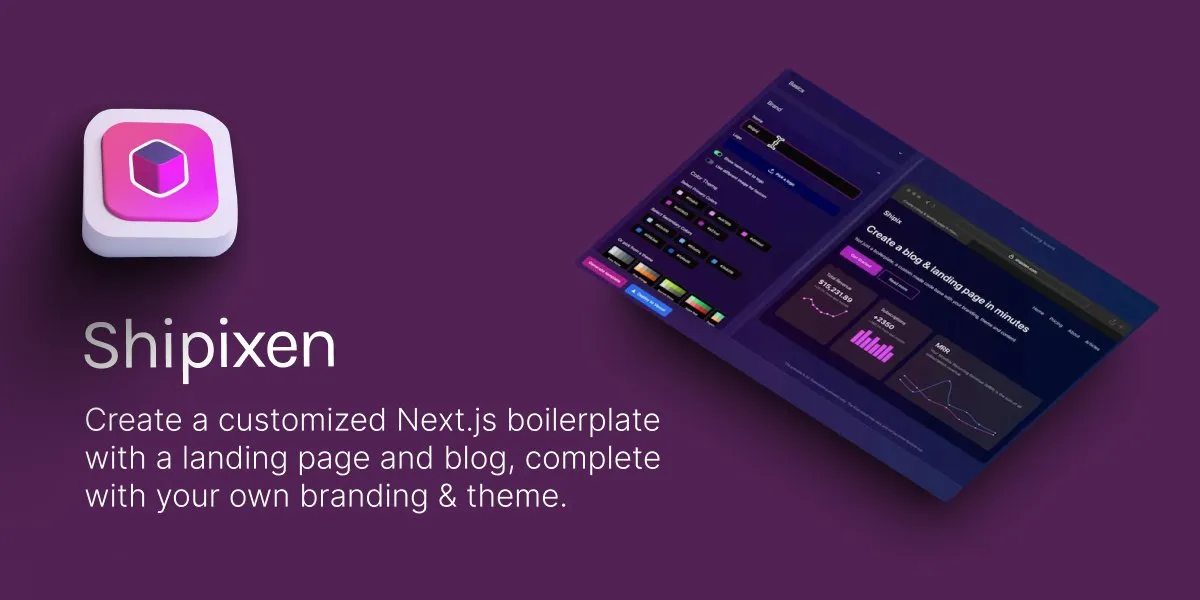
For a real-world example, here are the tags used by Shipixen:
<meta property="og:title" content="Make custom Next.js boilerplates with an MDX blog, TypeScript and Shadcn UI" /><meta property="og:description" content="Branded boilerplates for your website, product or blog. Get an SEO optimized Markdown blog running Next.js 14, TypeScript, TailwindCSS + Shadcn UI. Deploy to Vercel with 1 click." /><meta property="og:url" content="https://shipixen.com/" /><meta property="og:site_name" content="Make custom Next.js boilerplates with an MDX blog, TypeScript and Shadcn UI" /><meta property="og:locale" content="en_US" /><meta property="og:image" content="https://shipixen.com/static/images/ogImg.jpg" /><meta property="og:type" content="website" />And the preview it produces:
Open Graph tags in Next.js, Astro and PHP
Next.js (App Router metadata API)
Export a metadata object from a layout.tsx or page.tsx. Set metadataBase once so relative image paths become absolute URLs:
import type { Metadata } from "next";
export const metadata: Metadata = {    metadataBase: new URL("https://acme.com"),    title: "How to Price a SaaS Product",    description: "A practical framework for choosing your first SaaS price.",    openGraph: {        type: "article",        url: "/blog/saas-pricing",        siteName: "Acme",        title: "How to Price a SaaS Product",        description: "A practical framework for choosing your first SaaS price.",        images: [            {                url: "/og/saas-pricing.png",                width: 1200,                height: 630,                alt: "Acme Blog: How to Price a SaaS Product",            },        ],    },    twitter: {        card: "summary_large_image",        site: "@acme",    },};
Use generateMetadata instead when the values depend on data (for example, a blog post slug). Next.js also supports an opengraph-image.png (or opengraph-image.tsx) file in a route folder, which it turns into og:image tags automatically.
Astro
Pass the values to your layout as props and build absolute URLs with Astro.site (set site in astro.config.mjs):
---const { title, description, image = "/og/default.png" } = Astro.props;const url = new URL(Astro.url.pathname, Astro.site);const imageUrl = new URL(image, Astro.site);---<head> <title>{title}</title> <meta name="description" content={description} /> <meta property="og:type" content="website" /> <meta property="og:url" content={url} /> <meta property="og:title" content={title} /> <meta property="og:description" content={description} /> <meta property="og:image" content={imageUrl} /> <meta property="og:image:width" content="1200" /> <meta property="og:image:height" content="630" /> <meta name="twitter:card" content="summary_large_image" /></head>PHP
Escape every value with htmlspecialchars so quotes in titles do not break the markup:
<?php$og = [ 'og:type' => 'article', 'og:url' => 'https://acme.com/blog/saas-pricing', 'og:title' => $post['title'], 'og:description' => $post['excerpt'], 'og:image' => 'https://acme.com/og/' . $post['slug'] . '.png',];foreach ($og as $property => $content): ?> <meta property="<?= $property ?>" content="<?= htmlspecialchars($content, ENT_QUOTES) ?>" /><?php endforeach; ?><meta name="twitter:card" content="summary_large_image" />Common Open Graph mistakes
Relative image URLs. content="/og.png" does not work. Crawlers need the full URL, such as https://acme.com/og.png. This is the single most common reason a preview has no image.
Missing og:image:width and og:image:height. Without them, Facebook may show no image the first time a link is shared, because it has not processed the image yet. Adding the dimensions avoids that.
Image too small or the wrong shape. Small images are shown as tiny thumbnails or not at all, and square or tall images get cropped. Use 1200 × 630 px and keep text away from the edges.
Image not reachable. The image must load without cookies or a login, must not be blocked by robots.txt, and must not redirect to an HTML page. Open the image URL in a private browser window to check.
Tags rendered by JavaScript. If your app sets meta tags only in the browser, crawlers may never see them. Render them on the server or at build time.
Wrong attribute for X tags. Use name="twitter:card", as documented by X, and property="og:..." for Open Graph.
Old previews are cached. Platforms cache what they scraped. Facebook refreshes roughly every 30 days and LinkedIn after about 7 days, so changes do not show up immediately. To force an update:
- Facebook: paste the URL into the Sharing Debugger and click “Scrape Again”.
- LinkedIn: paste the URL into the Post Inspector, which re-fetches the page.
- X, Slack, Discord, WhatsApp: there is no public re-scrape tool. Changing the image URL (for example, adding
?v=2) makes the platform treat it as a new image.
How to test your Open Graph tags
Paste any URL into our Open Graph debugger. It fetches the page like a crawler does, lists every og:, article: and twitter: tag it finds, flags missing required tags and broken images, and shows how the preview will look.
Test before you publish, and again after you change an image or title. Then use the platform tools above to clear old caches.
Next steps
- Read What is Open Graph? for how the protocol works,
og:typevalues and OG image sizes per platform. - Browse 780+ real Open Graph examples to see how other products design their OG images and which tags they use.