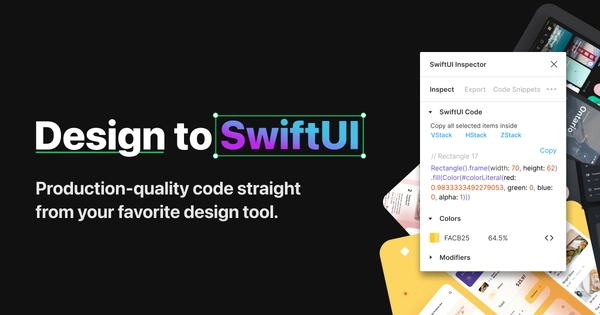
Enhance your development workflow by copying and pasting element styles from your Figma files into your Xcode project. Visit SwiftUI Inspector to see the page this image belongs to.
Added on
Open Graph image details
- Size
- 1200×630 px
- Format
- JPG
- Aspect ratio
- 1.90:1 (matches the recommended 1.91:1)
- Resolution
- Sharp on high-density screens
Open Graph tags checklist
SwiftUI Inspector sets 5 of 10 common Open Graph tags.
-
og:titleSwiftUI Inspector -
og:typewebsite -
og:imagehttps://swiftui.ai/social.jpg -
og:urlhttps://swiftui.ai -
og:descriptionEnhance your development workflow by copying and pasting element styles from your Figma… -
og:site_nameNot set (recommended) -
og:localeNot set (recommended) -
og:image:widthNot set (recommended) -
og:image:heightNot set (recommended) -
og:image:altNot set (recommended)
Check your own page with the Open Graph checker .
SwiftUI Inspector Open Graph meta tags
The meta tags SwiftUI Inspector uses to build its link preview:
<!-- Primary Meta Tags --><title>SwiftUI Inspector</title><meta name="description" content="Enhance your development workflow by copying and pasting element styles from your Figma files into your Xcode project." />
<!-- Open Graph / Facebook --><meta property="og:url" content="https://swiftui.ai" /><meta property="og:type" content="website" /><meta property="og:title" content="SwiftUI Inspector" /><meta property="og:description" content="Enhance your development workflow by copying and pasting element styles from your Figma files into your Xcode project." /><meta property="og:image" content="https://swiftui.ai/social.jpg" /><meta property="og:image" content="https://swiftui.ai/social.jpg" />